Managing documents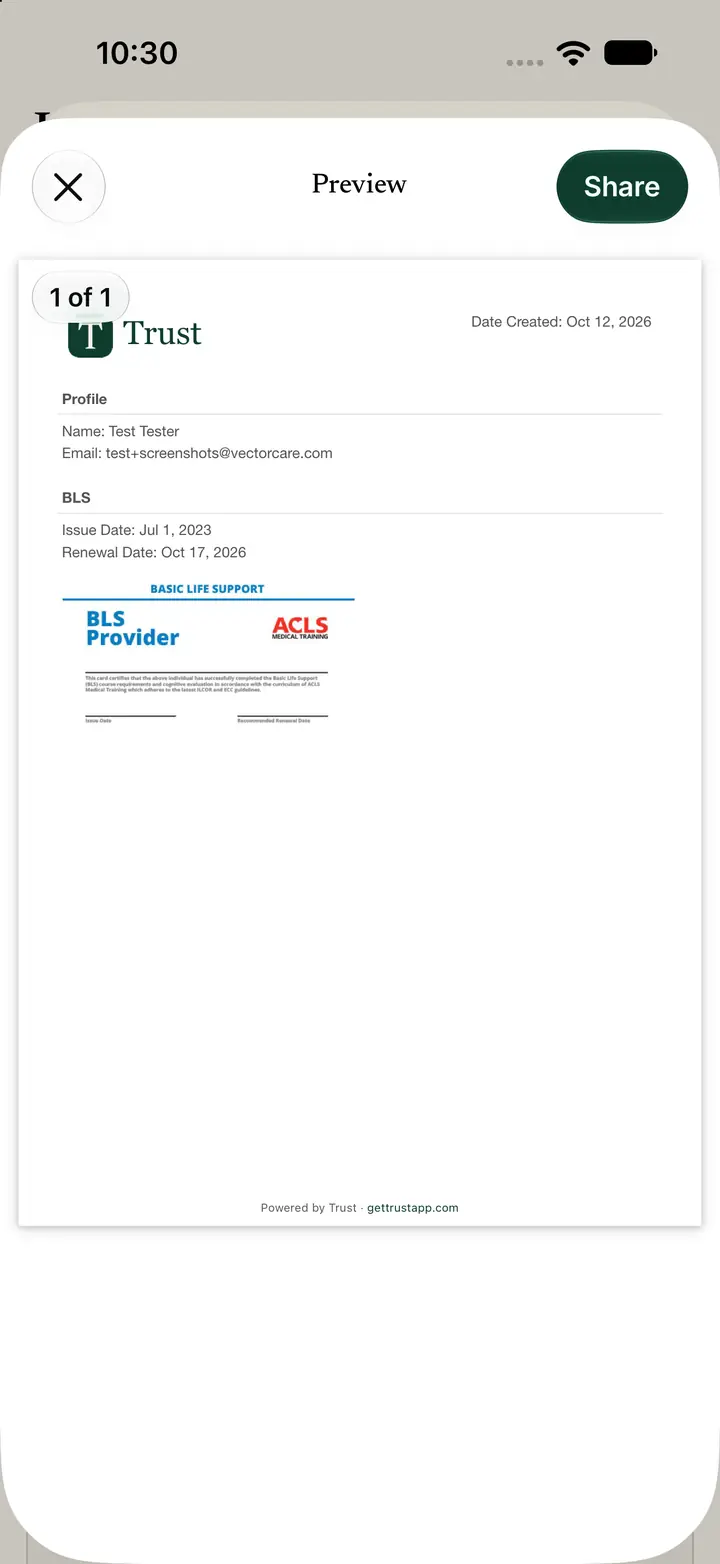
Share a document
Share builds a one-page PDF you can review before you send it.
Step 2
Review the PDF before you send it
The screen is titled Preview share.
Check the date created, your profile name and email, the document name, the issue date, the renewal date, and the card image.
The footer reads Powered by Trust - gettrustapp.com.
Step 3
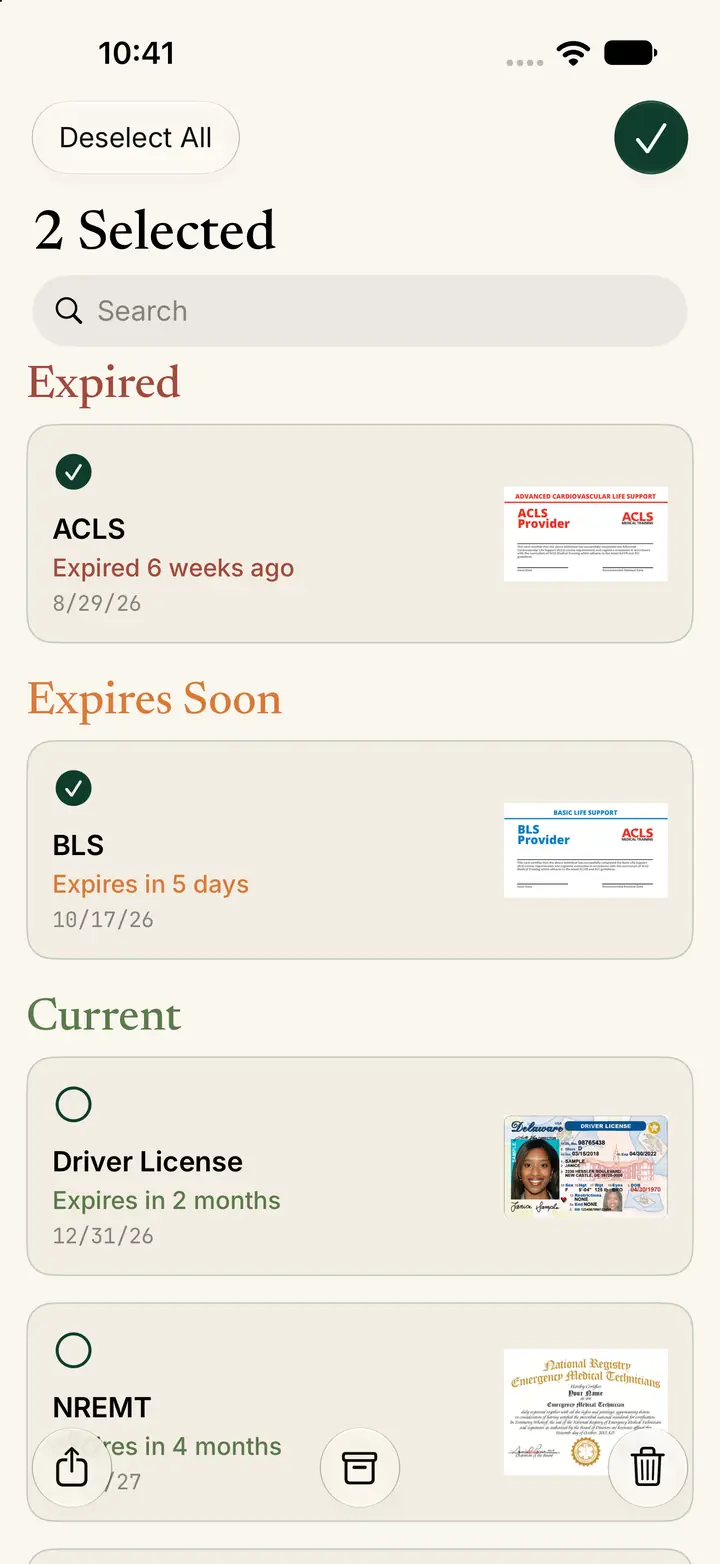
Select several documents when you need them
On All Documents, tap Select when you are gathering more than one credential.
Tap each document you want. Deselect All clears the selection.
Search stays available while you select.