Managing documents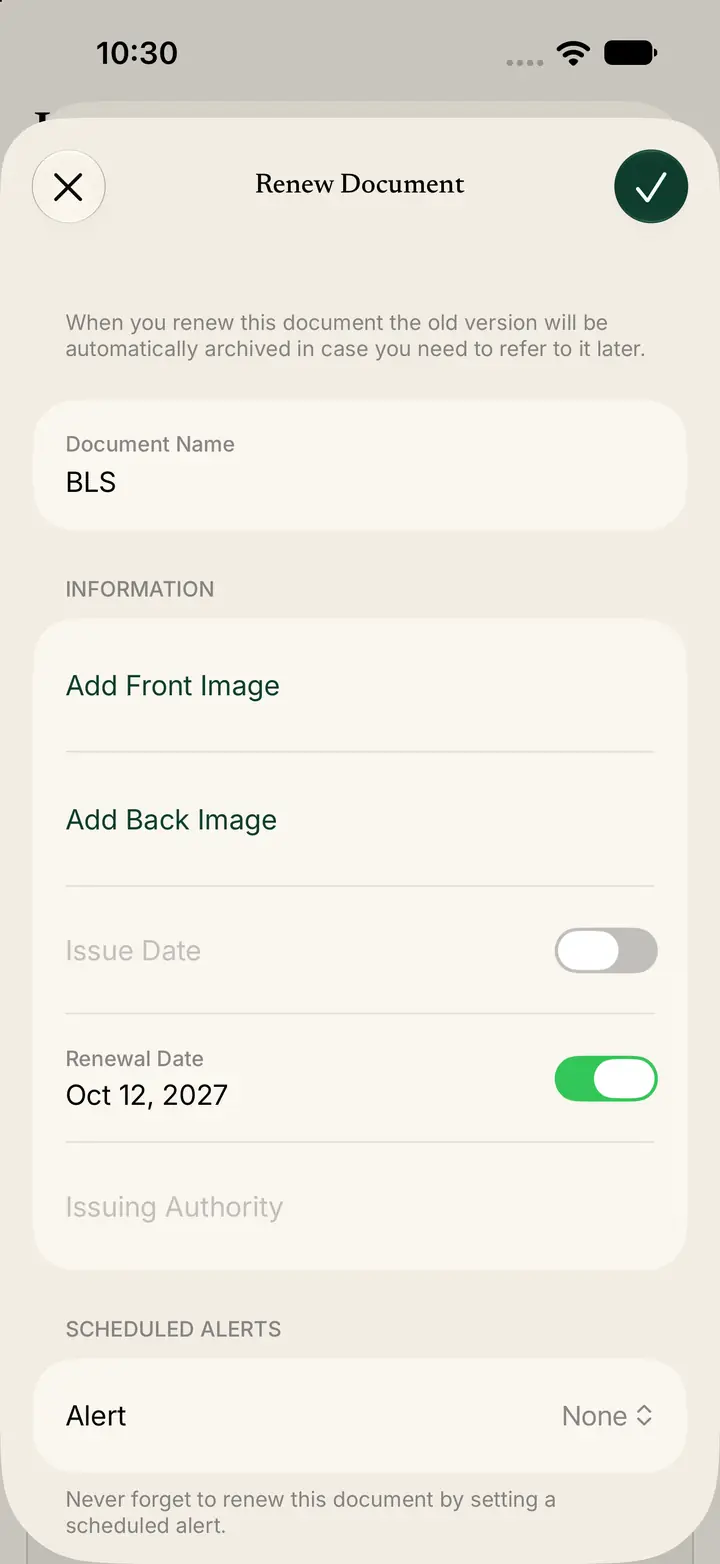
Renew a document
Renew keeps the old version in the archive and opens a form for the new one.
Step 1
Tap Renew
Open the document.
Tap Renew.
Step 2
Read the archive note
The screen title is Renew Document.
The note says: “When you renew this document the old version will be automatically archived in case you need to refer to it later.”
Step 3
Enter the new copy
Document Name shows the current name. In the screenshot it is BLS.
Tap Add Front Image.
Tap Add Back Image if the new card has a back.
Set Renewal Date. In the screenshot the date is Oct 12, 2027.
Under Scheduled Alerts, set Alert. In the screenshot Alert is None.
Tap the check mark at the top right to save.