Managing documents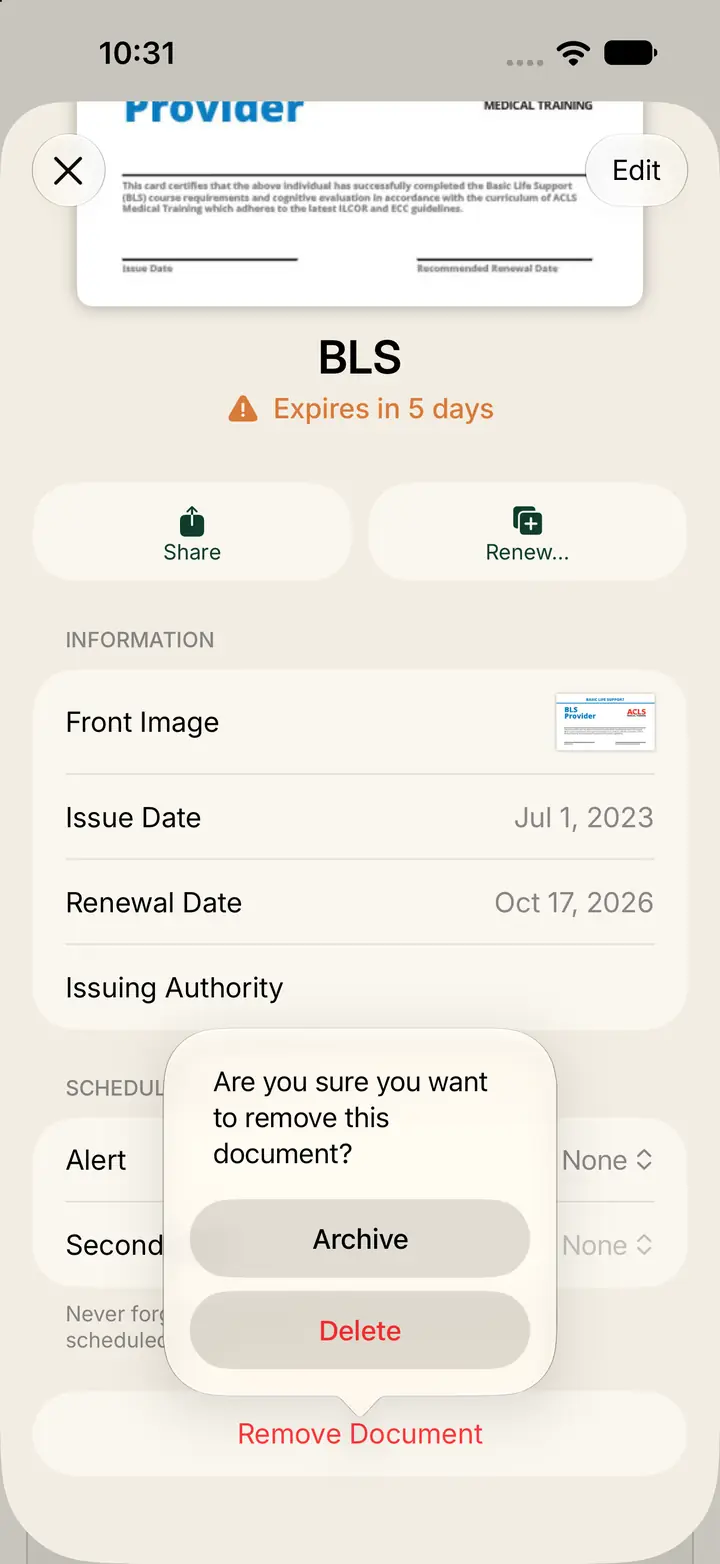
Archive or delete a document
Remove Document lets you archive a copy or delete it.
Step 1
Open the document and tap Remove Document
Use this when one document should leave your active list.
Open the document, then tap Remove Document.
Step 2
Choose Archive or Delete
Trust asks: Are you sure you want to remove this document?
Tap Archive if you may need the copy later.
Tap Delete if you want it gone.
Step 3
Use Renew when you are replacing a copy
Do not use Remove when you are renewing.
Renew archives the old version for you, so you can refer to it later.